在扩展安装插件vim
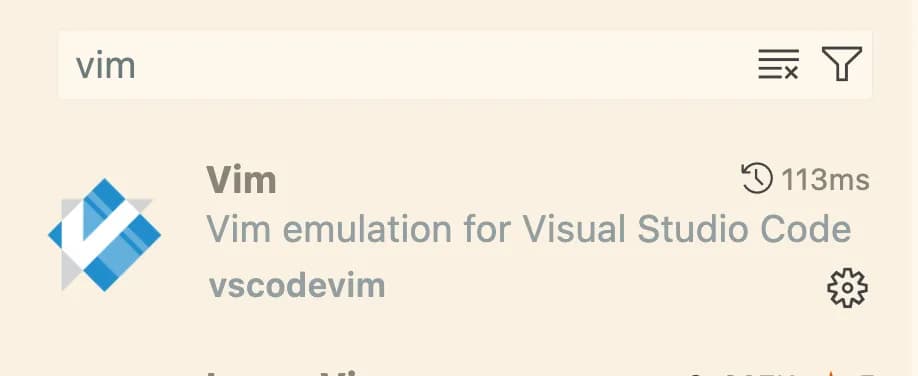
安装成功后,关闭MAC的重复建:
defaults write com.microsoft.VSCode ApplePressAndHoldEnabled -bool false
基础配置+常用vim热键配置
修改setting.json文件进行vim配置
{
  // 关闭自动传参建议,使用按键手动触发
  "editor.parameterHints.enabled": false,
  // 控制资源管理器中的键盘导航无法自动触发
  "workbench.list.automaticKeyboardNavigation": false,
  // 绑定vim前导键
  "vim.leader": "<space>",
  // 启用easymotion插件
  "vim.easymotion": true,
  // 启用系统粘贴板作为vim寄存器
  "vim.useSystemClipboard": true,
  // 由vim接管ctrl+any的按键,而不是vscode
  "vim.useCtrlKeys": true,
  // 突出显示与当前搜索匹配的所有文本
  "vim.hlsearch": true,
  // 开启智能行号
  "vim.smartRelativeLine": true,
  // 下面定义的按键将交由vscode进行处理,而不是vscode-vim插件
  "vim.handleKeys": {
    "<C-a>": false,
    "<C-f>": false
  },
  // 命令模式下的非递归按键绑定
  "vim.commandLineModeKeyBindingsNonRecursive": [],
  // 可视模式下的非递归按键绑定
  "vim.operatorPendingModeKeyBindings": [],
  // 普通模式下的非递归按键绑定
  "vim.insertModeKeyBindings": [
    {
      "before": ["j", "j"],
      "after": ["<Esc>"]
    }
  ],
  // 普通模式下的非递归按键绑定
  "vim.normalModeKeyBindingsNonRecursive": [
    {
      "before": ["<C-n>"],
      "commands": [":nohl"]
    },
    {
      "before": ["<leader>", "g", "c"],
      "commands": ["workbench.action.showCommands"]
    },
    {
      "before": ["H"],
      "after": ["^"]
    },
    {
      "before": ["L"],
      "after": ["$"]
    },
    {
      "before": ["z", "z"],
      "commands": ["editor.toggleFold"]
    },
    {
      "before": ["g", "["],
      "commands": ["editor.action.marker.prevInFiles"]
    },
    {
      "before": ["g", "]"],
      "commands": ["editor.action.marker.nextInFiles"]
    }
  ]
}
在非编辑区域通过设置vscode的快捷键
vscode的快捷键配置在keybindings.json中进行配置
[
  // --- 全局命令
  // 显示命令面板
  {
    "key": "cmd+g c",
    "command": "workbench.action.showCommands"
  },
  // 打开设置页面
  {
    "key": "cmd+g s",
    "command": "workbench.action.openSettings"
  },
  // 打开热键映射
  {
    "key": "cmd+g k",
    "command": "workbench.action.openGlobalKeybindings"
  },
  // 打开一个目录
  {
    "key": "cmd+g m",
    "command": "workbench.action.files.openFolder"
  },
  // 打开一个文件
  {
    "key": "cmd+g f",
    "command": "workbench.action.files.openFile"
  },
  // 打开最近记录
  {
    "key": "cmd+g h",
    "command": "workbench.action.openRecent"
  },
  // 新建vscode实例
  {
    "key": "cmd+g n",
    "command": "workbench.action.newWindow"
  },
  // 关闭vscode实例
  {
    "key": "cmd+g q",
    "command": "workbench.action.closeWindow"
  },
  // -- 侧边栏命令
  // 切换侧边栏显示状态
  {
    "key": "cmd+n [",
    "command": "workbench.action.toggleSidebarVisibility"
  },
  // 显示文件资源管理器
  {
    "key": "cmd+n 1",
    "command": "workbench.files.action.focusFilesExplorer"
  },
  // 显示全局搜索
  {
    "key": "cmd+n 2",
    "command": "workbench.action.replaceInFiles"
  },
  // 显示版本控制
  {
    "key": "cmd+n 3",
    "command": "workbench.view.scm",
    "when": "workbench.scm.active"
  },
  // --- 面板命令
  // 切换面板显示状态
  {
    "key": "cmd+p [",
    "command": "workbench.action.togglePanel"
  },
  // 显示问题
  {
    "key": "cmd+p 1",
    "command": "workbench.panel.markers.view.focus"
  }, // 显示终端
  {
    "key": "cmd+p 2",
    "command": "workbench.action.terminal.toggleTerminal",
    "when": "terminal.active"
  },
  // --- 编辑区命令
  // 关闭当前选项卡或分屏
  {
    "key": "cmd+q",
    "command": "workbench.action.closeActiveEditor"
  },
  // 聚集在第一个选项卡中
  {
    "key": "cmd+e",
    "command": "workbench.action.focusFirstEditorGroup"
  },
  // 切换到上一个选项卡
  {
    "key": "cmd+,",
    "command": "workbench.action.previousEditor"
  },
  // 切换到下一个选项卡
  {
    "key": "cmd+.",
    "command": "workbench.action.nextEditor"
  },
  // 拆分一个上下分屏
  {
    "key": "cmd+w s",
    "command": "workbench.action.splitEditorDown"
  },
  // 拆分一个左右分屏
  {
    "key": "cmd+w v",
    "command": "workbench.action.splitEditor"
  },
  // 将光标向上动1屏
  {
    "key": "cmd+w k",
    "command": "workbench.action.focusAboveGroup"
  },
  // 将光标向下动1屏
  {
    "key": "cmd+w j",
    "command": "workbench.action.focusBelowGroup"
  },
  // 将光标向左移动1屏
  {
    "key": "cmd+w h",
    "command": "workbench.action.focusLeftGroup"
  },
  // 将光标向右移动1屏
  {
    "key": "cmd+w l",
    "command": "workbench.action.focusRightGroup"
  },
  // --- 代码编辑命令
  // 触发帮助提示
  {
    "key": "cmd+h",
    "command": "editor.action.showHover",
    "when": "editorTextFocus"
  },
  // 触发参数提示
  {
    "key": "cmd+j",
    "command": "editor.action.triggerParameterHints",
    "when": "editorHasSignatureHelpProvider && editorTextFocus"
  },
  {
    "key": "cmd+j",
    "command": "closeParameterHints",
    "when": "editorFocus && parameterHintsVisible"
  },
  // 触发建议提示
  {
    "key": "cmd+k",
    "command": "editor.action.triggerSuggest",
    "when": "editorHasCompletionItemProvider && textInputFocus && !editorReadonly"
  },
  {
    "key": "cmd+k",
    "command": "hideSuggestWidget",
    "when": "suggestWidgetVisible && textInputFocus"
  },
  // 移动到下一个建议
  {
    "key": "cmd+n",
    "command": "selectNextSuggestion",
    "when": "suggestWidgetMultipleSuggestions && suggestWidgetVisible && textInputFocus"
  },
  // 移动到上一个建议
  {
    "key": "cmd+p",
    "command": "selectPrevSuggestion",
    "when": "suggestWidgetMultipleSuggestions && suggestWidgetVisible && textInputFocus"
  },
  // 格式化代码
  {
    "key": "cmd+alt+l",
    "command": "editor.action.formatDocument",
    "when": "editorHasDocumentFormattingProvider && editorTextFocus && !editorReadonly && !inCompositeEditor"
  },
  // --- window 用户删除以下重映射,这里是为MAC用户准备的
  {
    "key": "cmd+r",
    "command": "extension.vim_ctrl+r",
    "when": "editorTextFocus && vim.active && vim.use<C-r> && !inDebugRepl"
  },
  {
    "key": "ctrl+r",
    "command": "-extension.vim_ctrl+r",
    "when": "editorTextFocus && vim.active && vim.use<C-r> && !inDebugRepl"
  },
  {
    "key": "cmd+a",
    "command": "extension.vim_ctrl+a"
  },
  {
    "key": "ctrl+a",
    "command": "-extension.vim_ctrl+a",
    "when": "editorTextFocus && vim.active && vim.use<C-a> && !inDebugRepl"
  },
  {
    "key": "cmd+x",
    "command": "extension.vim_ctrl+x"
  },
  {
    "key": "ctrl+x",
    "command": "-extension.vim_ctrl+x",
    "when": "editorTextFocus && vim.active && vim.use<C-x> && !inDebugRepl"
  },
  {
    "key": "cmd+u",
    "command": "extension.vim_ctrl+u",
    "when": "editorTextFocus && vim.active && vim.use<C-u> && !inDebugRepl"
  },
  {
    "key": "ctrl+u",
    "command": "-extension.vim_ctrl+u",
    "when": "editorTextFocus && vim.active && vim.use<C-u> && !inDebugRepl"
  },
  {
    "key": "cmd+d",
    "command": "extension.vim_ctrl+d",
    "when": "editorTextFocus && vim.active && vim.use<C-d> && !inDebugRepl"
  },
  {
    "key": "ctrl+d",
    "command": "-extension.vim_ctrl+d",
    "when": "editorTextFocus && vim.active && vim.use<C-d> && !inDebugRepl"
  },
  {
    "key": "cmd+i",
    "command": "extension.vim_ctrl+i",
    "when": "editorTextFocus && vim.active && vim.use<C-i> && !inDebugRepl"
  },
  {
    "key": "ctrl+i",
    "command": "-extension.vim_ctrl+i",
    "when": "editorTextFocus && vim.active && vim.use<C-i> && !inDebugRepl"
  },
  {
    "key": "cmd+o",
    "command": "extension.vim_ctrl+o",
    "when": "editorTextFocus && vim.active && vim.use<C-o> && !inDebugRepl"
  },
  {
    "key": "ctrl+o",
    "command": "-extension.vim_ctrl+o",
    "when": "editorTextFocus && vim.active && vim.use<C-o> && !inDebugRepl"
  },
  // --- 取消一些vim插件的额外功能
  {
    "key": "cmd+a",
    "command": "-extension.vim_cmd+a",
    "when": "editorTextFocus && vim.active && vim.use<D-a> && !inDebugRepl && vim.mode != 'Insert'"
  },
  {
    "key": "alt+cmd+down",
    "command": "-extension.vim_cmd+alt+down",
    "when": "editorTextFocus && vim.active && !inDebugRepl"
  },
  {
    "key": "alt+cmd+up",
    "command": "-extension.vim_cmd+alt+up",
    "when": "editorTextFocus && vim.active && !inDebugRepl"
  },
  {
    "key": "cmd+c",
    "command": "-extension.vim_cmd+c",
    "when": "editorTextFocus && vim.active && vim.overrideCopy && vim.use<D-c> && !inDebugRepl"
  },
  {
    "key": "cmd+v",
    "command": "-extension.vim_cmd+v",
    "when": "editorTextFocus && vim.active && vim.use<D-v> && vim.mode == ''CommandlineInProgress' !inDebugRepl' || editorTextFocus && vim.active && vim.use<D-v> && !inDebugRepl && vim.mode == 'SearchInProgressMode'"
  },
  {
    "key": "cmd+d",
    "command": "-extension.vim_cmd+d",
    "when": "editorTextFocus && vim.active && vim.use<D-d> && !inDebugRepl"
  },
  {
    "key": "cmd+left",
    "command": "-extension.vim_cmd+left",
    "when": "editorTextFocus && vim.active && vim.use<D-left> && !inDebugRepl && vim.mode != 'Insert'"
  },
  {
    "key": "cmd+right",
    "command": "-extension.vim_cmd+right",
    "when": "editorTextFocus && vim.active && vim.use<D-right> && !inDebugRepl && vim.mode != 'Insert'"
  },
  // --- 取消或更改一些vscode键位
  // cmd+a全选功能在非INSERT模式下不生效
  {
    "key": "cmd+a",
    "command": "editor.action.selectAll",
    "when": "vim.mode != 'Normal' && vim.mode != 'Visual' && vim.mode != 'VisualLine' && vim.mode != 'VisualBlock' && vim.mode != 'CommandlineInProgress'"
  },
  {
    "key": "cmd+a",
    "command": "-editor.action.selectAll"
  },
  // cmd+c或者cmd+v功能在非INSERT模式下不生效
  {
    "key": "cmd+c",
    "command": "-editor.action.clipboardCopyAction"
  },
  {
    "key": "cmd+v",
    "command": "-editor.action.clipboardPasteAction"
  },
  {
    "key": "cmd+c",
    "command": "-execCopy"
  },
  {
    "key": "cmd+c",
    "command": "execCopy",
    "when": "vim.mode != 'Normal' && vim.mode != 'Visual' && vim.mode != 'VisualLine' && vim.mode != 'VisualBlock' && vim.mode != 'CommandlineInProgress'"
  },
  {
    "key": "cmd+v",
    "command": "-execPaste"
  },
  {
    "key": "cmd+v",
    "command": "execPaste",
    "when": "vim.mode != 'Normal' && vim.mode != 'Visual' && vim.mode != 'VisualLine' && vim.mode != 'VisualBlock' && vim.mode != 'CommandlineInProgress'"
  },
  // --- 资源管理器中对文件或目录的操作
  // 新建文件
  {
    "key": "i",
    "command": "explorer.newFile",
    "when": " explorerViewletVisible && filesExplorerFocus && !explorerResourceIsRoot && !explorerResourceReadonly && !inputFocus "
  },
  // 新建目录
  {
    "key": "o",
    "command": "explorer.newFolder",
    "when": " explorerViewletVisible && filesExplorerFocus && !explorerResourceIsRoot && !explorerResourceReadonly && !inputFocus "
  },
  // 刷新资源管理器
  {
    "key": "r",
    "command": "workbench.files.action.refreshFilesExplorer",
    "when": " explorerViewletVisible && filesExplorerFocus && !explorerResourceIsRoot && !explorerResourceReadonly && !inputFocus "
  },
  // 重命名文件或目录
  {
    "key": "a",
    "command": "renameFile",
    "when": " explorerViewletVisible && filesExplorerFocus && !explorerResourceIsRoot && !explorerResourceReadonly && !inputFocus "
  },
  // 删除文件或目录
  {
    "key": "d",
    "command": "deleteFile",
    "when": " explorerViewletVisible && filesExplorerFocus && !explorerResourceIsRoot && !explorerResourceReadonly && !inputFocus "
  },
  // 剪切文件或目录
  {
    "key": "x",
    "command": "filesExplorer.cut",
    "when": "explorerViewletVisible && filesExplorerFocus && !explorerResourceIsRoot && !explorerResourceReadonly && !inputFocus"
  },
  // 复制文件或目录
  {
    "key": "y",
    "command": "filesExplorer.copy",
    "when": "explorerViewletVisible && filesExplorerFocus && !explorerResourceIsRoot && !inputFocus"
  },
  // 粘贴文件或目录
  {
    "key": "p",
    "command": "filesExplorer.paste",
    "when": "explorerViewletVisible && filesExplorerFocus && !explorerResourceReadonly && !inputFocus"
  }
]
输入法切换
如果你在INSERT模式下使用中文输入法进行编辑,当ESC到NORMAL模式下后,它将依然保持中文输入法,这会使我们需要频繁的使用ctrl+shift或者cmd+space进行输入法切换,非常麻烦。
- 安装
im-select脚本
curl -Ls https://raw.githubusercontent.com/daipeihust/im-select/master/install_mac.sh | sh
这个脚本有2个作用,当你输入im-select后它将获取当前输入法,当你输入im-select xxx后它将切换至xxx输入法。
首先你需要先切换到英文输入法中到终端执行im-select命令,并把结果保存下来:
im-select
# com.apple.keylayout.ABC
- 然后再到settings.json中加入以下配置项即可完成输入法在INSERT模式以及NORMAL模式下的自动切换:
  // 自动切换输入法
  "vim.autoSwitchInputMethod.enable": true,
  "vim.autoSwitchInputMethod.defaultIM": "com.apple.keylayout.ABC",  // 这里输入你刚刚获得的英文输入法名称
  "vim.autoSwitchInputMethod.obtainIMCmd": "/usr/local/bin/im-select",
  "vim.autoSwitchInputMethod.switchIMCmd": "/usr/local/bin/im-select {im}"
vscode的vim插件内置的插件
vim-esaymotion、vim-surround、vim-commentary
可查看vim插件的介绍详细了解